You know the email. Three paragraphs of stream-of-consciousness, the actual ask buried somewhere around sentence four, a deadline that's implied but never quite stated, and a closing "no rush, but..." that means the exact opposite of what it says. You read it twice, start the work on your best guess of what they meant, and find out two days later you guessed wrong.
That's not a client problem. That's how most people write when they're thinking out loud instead of writing a brief — and it's completely normal. The fix isn't asking clients to communicate better. It's a 15-second prompt that turns whatever they send you into something you can actually act on.
The prompt
Copy this
"Turn this client email into a clear project brief: 1) What they're asking for 2) Deadline, stated or implied 3) Anything unclear that needs a follow-up question. Keep it to one page."
Paste the email underneath it. That's the whole workflow. What you get back isn't just a summary — it's a decision-ready brief, including the one thing most people forget to ask for: an honest flag on what's still actually unclear.
Why this works (and why most people write it wrong)
Most people who try to build a prompt like this stop at "summarize this email." That gets you a shorter version of the same confusion — still missing a deadline, still vague about scope, just with fewer words. The three-part structure is doing specific work:
- "What they're asking for" forces a single, clear statement of scope — not a paraphrase of everything they said, a distillation of what they actually need from you.
- "Deadline, stated or implied" catches the timelines people bury in a subordinate clause ("would be great before the launch event") instead of stating outright. Missing this is how "no rush" quietly becomes a missed deadline.
- "Anything unclear that needs a follow-up question" is the part almost everyone skips when they write their own version of this prompt — and it's the one that actually prevents rework. It's the difference between starting on your best guess and starting with a specific question back to the client.
What it actually looks like
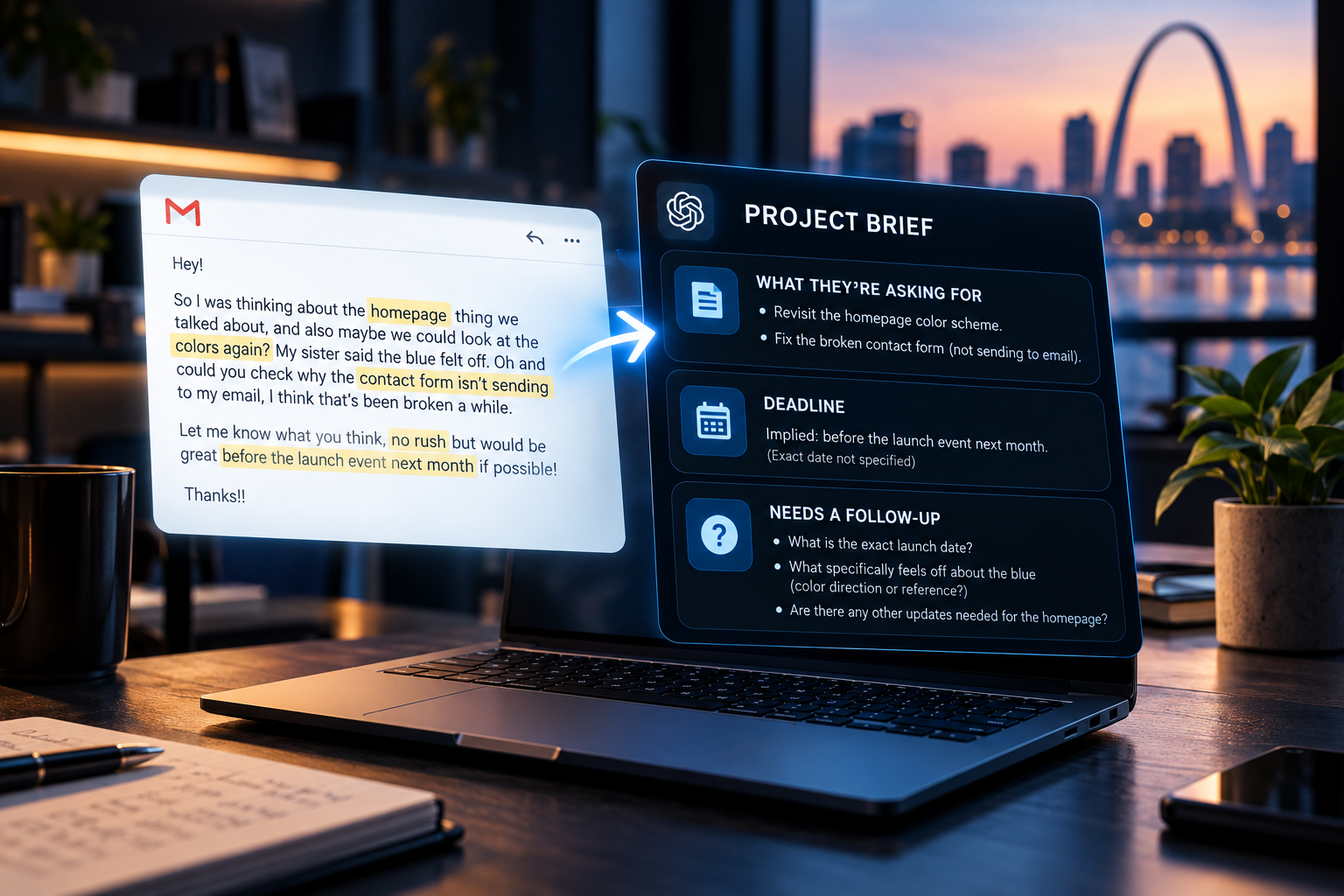
Here's a real (lightly disguised) example — the kind of email that lands in most inboxes weekly.
"Hey! So I was thinking about the homepage thing we talked about, and also maybe we could look at the colors again? My sister said the blue felt off. Oh and could you check why the contact form isn't sending to my email, I think that's been broken a while. Let me know what you think, no rush but would be great before the launch event next month if possible! Thanks!!"
What they're asking for
Revisit the homepage color scheme, and fix the broken contact form.
Deadline
Implied: before the launch event next month.
Needs a follow-up
What's the exact launch date? "Felt off" needs specifics — what should the blue feel like instead?
The client didn't get better at writing emails. You just stopped needing them to.
Where else this trick works
The exact same structure works on almost any messy input, not just email:
- Slack or Teams threads — paste the whole back-and-forth, get one brief instead of scrolling through 40 messages to reconstruct what was actually decided.
- Voicemail or call transcripts — works especially well here, since spoken requests ramble even more than written ones.
- Group chat scrollback — when three people weighed in and nobody summarized the actual decision at the end.
- Meeting chat overflow — the sidebar conversation that happened while everyone was talking, which usually has one buried action item in it.
Common mistakes people make with this prompt
- Pasting the email with zero context, when a little context ("this is a repeat client, we redesigned their site in 2024") would sharpen the follow-up questions it flags.
- Trusting the deadline output blindly instead of treating "implied" deadlines as things worth confirming, not assuming.
- Skipping the follow-up question and starting work anyway — which defeats the entire point of asking for it in the first place.
- Using it only for client emails, when it's just as useful pointed at your own rambling voice memos to yourself.
Why this matters more than it looks like it should
This feels like a small trick. The cost it's actually solving for isn't small. Miscommunication is estimated to cost U.S. businesses over a trillion dollars a year in rework, delays, and mismatched execution — and a huge share of that starts exactly here, at the moment a request gets handed off unclearly and nobody catches it until the work is already wrong.
$1.2TEstimated annual cost of workplace miscommunication in the U.S., largely from rework and delays.
44%Of companies report poor communication contributed to a delayed or failed project.
17 hrsAverage time employees spend weekly just clarifying unclear communication.
Figures are drawn from widely cited 2025–2026 workplace communication research, referenced directionally to show the scale of the problem rather than a precise measure for any specific business.
The bottom line
This is one small, tactical prompt — the kind of fix that takes fifteen seconds and saves an afternoon. It's not a strategy. It's the everyday version of a bigger idea: the businesses getting real value from AI aren't the ones using it for everything, they're the ones who found the three or four specific moments, like this one, where a little structure turns confusion into clarity. If you want the bigger picture of what that looks like at the operational level, not just one prompt at a time, that's exactly what we broke down in our piece on what an AI-enabled business actually looks like.